What I want you to do is go onto a website, like YouTube, BBC News or Amazon. Then either press “Ctrl” and “U” at the same time or click “Inspect” on Edge or “View Page Source” on Chrome or something similar. What comes up is the source code. This is written by developers to make the website function and look nice.
Cyber-criminals can use this to their advantage. If you clicked on a link that claimed it was from your bank and you found a site that look messy and nothing like it usually does, you’d probably not go ahead with using the website.
To bypass that, criminals will take the source code, keep the outside formatting but change both some of the text and the behind-the-scenes parts of the website to carry out their crimes.
Here’s an example of a fake post. Looks just like the real thing, but I didn’t know that Alan Sugar and David Beckham were journalists.
For example, display an urgent warning message, and instead of the login button giving you access to your bank account, your email address, card number and password are just sent to the attacker’s computer. Therefore, it is important to be wary when clicking on links. If the email doesn’t match the usual format, the sender’s address looks suspicious or the web address doesn’t match, those could be all signs of something wrong.
Ultimately, if you’re not sure, use Google to access the website directly or contact the company via established contact details for confirmation of the email’s claims. If you already clicked on the link and entered any details, close the page, call the real company so that they can lock your account if needed or change your password.
Romance scams (long-term catfishing, sharing of personal info, makes it easy to manipulate victim)
These usually happen online (dating sites, social media, games). The scammer pretends to be romantically interested and spends weeks or months building trust. They often share fake stories, pictures, and emotions to make the victim feel a deep connection. Once the victim is emotionally invested, the scammer asks for money, gifts, or personal details (like bank info) and uses guilt or love as pressure.
Banking/Investment scams (they ask for money and claim they can double it, one way or another)
These scams promise huge returns with little or no risk, often through fake investment platforms, cryptocurrency schemes, or “get rich quick” opportunities. Victims are told to deposit money. Eventually, the scammer either disappears or pressures the victim to “invest more” before they can withdraw anything.
Impersonation scams (pretending to be a loved one, typically requesting financial support due to an emergency)
Here, the scammer contacts the victim claiming to be a friend, relative, or partner in trouble. They might say they’ve been in an accident, arrested abroad, or stuck with unexpected expenses. They usually demand urgent money transfers and rely on panic and concern, so the victim doesn’t stop to verify the situation.
Blackmail scams (claiming to have private data they will leak)
The scammer says they’ve hacked into the victim’s accounts or devices and claim to have compromising photos, videos, or sensitive information. They threaten to share this with family, friends, or employers unless the victim pays (often in cryptocurrency). In most cases, they actually have no real data — they just rely on fear and embarrassment.
Technical support scams (claim that you have a virus and need to download an app or visit a website—which is usually the real virus—to get rid of it)
The scammer poses as a tech support agent from companies like Microsoft, Apple, or your internet provider. They warn you about a fake virus or security breach, then tell you to install software or visit a website. The software is actually malware that lets them steal data, lock your files (ransomware), or demand payment for fake fixes.
BeStreamWise is an ongoing campaign about banning illegal streams. It was started in 2023 and is backed by several companies and organisations including the government’s Intellectual Property Office, Crimestoppers, the Federation Against Copyright Theft (Fact), ITV, Sky and the Premier League. a website dedicated to informing visitors about the dangers of using illegal streaming websites. It discusses the risks of accessing illegal websites, such as accidently downloading viruses, some facts about the dangers of illegal streams, news articles about people running illegal streaming services getting arrested and convicted.
It also provides the user with more info about identifying dodgy websites and where to report them to. It also links to websites such as JustWatch which provides info on publicly and legally accessible TV shows and movies and the digital platforms that you can view them on such as Netflix, Prime Video, BBC iPlayer and even the cinema with prices.
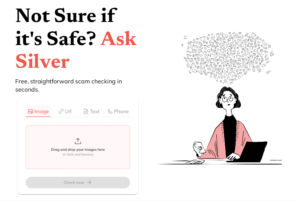
Launched in 2023, this is a scam checking tool which operates as part of WhatsApp. It was created by Alex Somervell and Jonny Pryn after Alex’s dad was scammed 3 times in 2019, losing a total of £150,000. The tool works in a similar way to a typical text thread on WhatsApp, where you send a photo a text message or email address to the chatbot, then it will scan for any signs of a potential scam, such as the sender’s email address not matching the domain name of the company they supposedly work for, any added links not going to a legitimate site or a lack of personalization(i.e. “Dear Customer” rather than “Dear Ms May Parker”) and based on the results, it responds with a list of any suspicious things it finds and gives the user the opportunity to report it.
In October 2025, the company added a functionality of being able to upload via a user’s web browser. You can input suspicious images, website links, text messages and phone numbers for checking.
Based on testing, it’s quite an effective tool but the app itself notes that it is to be used alongside the user’s own research and best judgement. It’s completely free and all that’s needed to use it is a phone and a WhatsApp account.
Antivirus – A program that protects your computer from harmful software (called viruses) by spotting and removing them.
App – Short for “application. ” A small program you use on your phone, tablet, or computer, like WhatsApp or online banking.
Browser – The tool you use to look at websites, such as Google Chrome, Safari, or Microsoft Edge.
Cookie – A small file websites save to remember your preferences, such as your login or shopping basket. Usually harmless.
Encryption – A way of scrambling information so only the right person can read it – like sending a message in code.
Firewall – A shield that blocks unwanted visitors or threats from entering your device through the internet.
Hacker – Someone who tries to get into computers or accounts without permission. Some are criminals, but not all.
Malware – Short for “malicious software. ” Harmful programs such as viruses or spyware that can damage or spy on your device.
Password – A secret word or phrase you use to protect y our accounts. The best ones are long and hard to guess.
Pop-up – A small window that suddenly appears on your screen, often showing adverts or scams.
Scam – A trick to steal your money or information, often by pretending to be someone you trust.
Spam – Unwanted or junk emails, usually adverts or scams, that clutter your inbox.
Two-Factor Authentication (2FA) – An extra layer of security that asks for two things to log in, like your password and a code sent to your phone.
Update – A fix or improvement for your apps or computer. Updates keep you safer and make things run better.
Username – The name you use to log in to a website or service – often your email address or a nickname.
Virus – A type of malware that spreads and damages your computer or files, like a cold for your device.
VPN (Virtual Private Network) – A tool that hides your location and makes your internet use more private, especially on public Wi-Fi.
Wi-Fi – A way to connect to the internet without wires. It’s safest when password protected.
Website address (URL-Uniform Resource Locator) – The link you type in to visit a site, such as www.bbc.co.uk. Always check spelling to avoid fake sites.
To create the best passwords, make them long (12+ characters), complex (mix of uppercase/lowercase letters, numbers, and symbols), and unique for each site. Avoid personal information, common words, and simple patterns like “12345”.
Consider using a strong passphrase or a password manager to help you generate and store these strong, unique passwords securely.
Key Characteristics of a Strong Password
Length: Aim for at least 12 characters, but 14 or more is even better.
Complexity: Use a mix of:
Uppercase letters (A-Z)
Lowercase letters (a-z)
Numbers (0-9)
Special symbols (!, @, #, $, etc.)
Uniqueness: Use a different password for every online account.
Randomness: Avoid dictionary words, personal information, and predictable
sequences.
Tips for Creating and Managing Passwords
Create a passphrase: A string of random, unrelated words is often easier to remember than a complex jumble of characters.
Use a password manager: These tools can generate strong, unique passwords and securely store them for you.
Enable Two-Factor Authentication (2FA): For added security, enable 2FA on your accounts whenever possible.
Avoid Personal Information: Never use your name, birthday, address, pet’s name, or any other information that could be easily guessed or found online.
Don’t Reuse Passwords: If one account is compromised, using the same password for other accounts creates a massive security risk.
Met Police’s Little Guide to Passwords
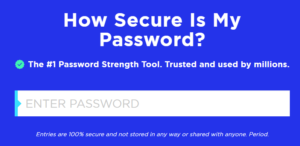
How secure is my password?(password strength checker tool from security.org)