Password Safety rules
To create the best passwords, make them long (12+ characters), complex (mix of uppercase/lowercase letters, numbers, and symbols), and unique for each site. Avoid personal information, common words, and simple patterns like “12345”.
Consider using a strong passphrase or a password manager to help you generate and store these strong, unique passwords securely.
Key Characteristics of a Strong Password
- Length: Aim for at least 12 characters, but 14 or more is even better.
- Complexity: Use a mix of:
- Uppercase letters (A-Z)
- Lowercase letters (a-z)
- Numbers (0-9)
- Special symbols (!, @, #, $, etc.)
- Uniqueness: Use a different password for every online account.
- Randomness: Avoid dictionary words, personal information, and predictable
sequences.
Tips for Creating and Managing Passwords
- Create a passphrase: A string of random, unrelated words is often easier to remember than a complex jumble of characters.
- Use a password manager: These tools can generate strong, unique passwords and securely store them for you.
- Enable Two-Factor Authentication (2FA): For added security, enable 2FA on your accounts whenever possible.
- Avoid Personal Information: Never use your name, birthday, address, pet’s name, or any other information that could be easily guessed or found online.
- Don’t Reuse Passwords: If one account is compromised, using the same password for other accounts creates a massive security risk.
Met Police’s Little Guide to Passwords
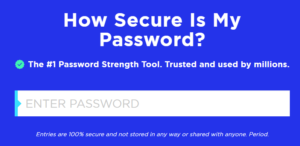
How secure is my password?(password strength checker tool from security.org)