Today is a special day

Today is a special day

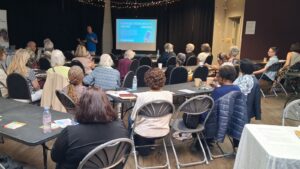
A year ago in the face of lockdown we took a gamble which paid off.

We moved a small class of older people, unsure about how to use their computers, into the online Zoom world, providing a weekly opportunity to socialise, learn more about their laptops, tablets & mobile phones; building confidence as we went along.

We’ve demonstrated Test & Trace, using maps, sharing via WhatsApp and how to use iPlayer.

We’ve learnt about each other and the subject we cover all come from the learners themselves

Underlying all of this is learning to be safer online and helping each other.

So today is our birthday, so where are we?

We’ve conducted 42 classes, with 51 different learners popping in: a total of 442 attendances.

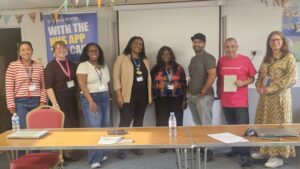
We are chaperoned around the internet by our tireless and very friendly Sue Gauge and we now have two volunteers from the class who help researching subjects and crowd control within the class – Thank you David and Eulalee.

We’ve had a learner as far afield as Beverly in Yorkshire and an enquiry from New York. Not bad for a “local” organization.

This class could never have been possible without the support of the Upper Norwood Library, but also, Crystal Palace Community Trust, Age UK Croydon, Croydon BME Forum, LinkAge Southwark & Age UK Lambeth.

More importantly this could never have been possible without our regulars who turn up, unmute, raise hands and join in. THANK YOU

So what next?

Well, that would be telling…

Today though is about eating cakes and awards- so ask me tomorrow

Help us on our mission to tackle digital exclusion?

Help us on our mission to tackle digital exclusion?

We are recruiting for two exciting new volunteer roles to help in our mission in tackling digital exclusion.

Firstly, we are looking for a creative and enthusiastic person to help us out with our social media.

We’re looking for someone to help us expand our audience, celebrate the work we have been doing and maintain our voice in the community.

We want to be better organized, plan ahead and think strategically. This could suit an experienced person looking to help out on a short-term basis to steer us in the right direction or to work with us longer term and gain experience in this sector.

Social Media Volunteer Role description

Application form

Secondly, we are looking for a maintenance and support volunteer to help set up laptops & tablets as part of a new loan program in partnership with the Upper Norwood Library Hub.

This program is to be launched in April and we will need the assistance in that first week to set them up, create an asset register and help with testing.

Knowledge of Windows 10 is essential but would suit someone who also wants to learn. Knowledge of IOS and Android desirable.

This is initially a short term project, but there will be an opportunity continue and provide support to the overall programme.

Maintenance and Support Volunteer Role Description

Application Form

Volunteering with us is a great opportunity to get more involved with your community, to get stuck in with a small community social enterprise which helps older, vulnerable people in the community develop digital skills and resources to combat isolation and access services.

We want you to get something out of it too – by building skills, experience, helping you to get to know your community better, or to keep you engaged and motivated through positive action during these uncertain times.

Deadline for applications is 5pm Friday 26th March


Two new digital schemes for Crystal Palace

Two new digital schemes for Crystal Palace

We are delighted to launch two new schemes for the Crystal Palace and surrounding areas.

Laptop Loan Scheme


We have a small selection of Laptops available to help local residents who need access to a computer at home for a short or medium term loan.

This could be to help with a job search, access online learning or to freshen up on skills.

Click here for eligibility and to apply.


Donate your Tech

Do you have any old or unwanted computers, mobiles phones or related tech to get rid of?

We will wipe it, sort it and try to get it it back up and running again, then redistributed to local residents in the Crystal Palace and neighbouring areas.

If we cannot find a use for it we collaborate with the teams behind Community Tech Aid and #KeepCroydonConnected to ethically recycle or dispose.

ALL hard drives and phones are data wiped for your peace of mind.

More info

Digital Skills Winter “Boost”

Digital Skills Winter “Boost”

Crystal Palace Community Trust and the Kingswood Community Shop have partnered with local social enterprise ClearCommunityWeb to provide a series of bite-sized 4-week programmes to help local people to develop their digital skills.

There will be a range of practice sessions for those new to using Zoom, with opportunities for broader discussions; workshops designed to explore internet safety issues; a series of digital life skills sessions, and finally some drop-in technical support sessions designed to get question answered and, hopefully, problems solved.

We will also be signposting residents to other local classes & support services.

We welcome learners at all levels, who may want to build some confidence to get more out of their favorite activity – be it a book group, an exercise classes or an online support service.

It’s been a tough year, and now is the time to fill in some of those gaps in knowledge and build some confidence.

Wednesday afternoons are the place to be!

Please pass this on to other groups, neighbours and friends who may benefit.

‘Thank you for your care and consideration.  I’ve been bored out of my skull but you’ve made my life a little better….I’m now ‘seeing’ people online and even doing a bit of online shopping…who knows where this new world will take me!’ (Previous workshop member)

Zoom: Learning and practicing the basics

Are you new to Zoom, feel you need to practice or have some niggling questions about how to use it?

We are running 4 sessions providing you with the opportunity to roll up your sleeves and have a go. You do not need to attend all of these sessions and are welcome to drop in and out, depending on how much support you require.

Sessions will be learner-led and support tailored to both individual needs and those of the group as a whole. Whatever your starting point, we’re here to help and who knows where this may lead!

If yourself, a relative, neighbour or friend needs help installing Zoom for the first time then please get in touch before the session: info@clearcommunityweb.co.uk or 07523 646 277

Times: Wednesdays: 3-4pm

Dates: March 3rd, 17th, 31st and April 14th

Community Tech Support Surgery

Are you have trouble with your computer, mobile phone or tablet?

Need to create a new account or have a question about online security?

Our fortnightly drop-in sessions on Zoom are designed to be a place where you can explore options and get some questions answered. In some situations, we’ll be able to fix things right away!

We can also signpost you to resources and other learning programs if that is what you need.

We are expecting high demand for these sessions so, if you think this is something for you, secure your place by signing up.

Times: Wednesdays: 4-5pm

Dates: March 3rd, 17th, 31st and April 14th

Staying Safe Online

Are you new to Zoom, feel you need to practice or have some niggling questions about how to use it?

An overview of the some of the common risks and how to overcome them with examples and practical advice. We will cover keeping your device up to date, antivirus, being smart online, common scams, email scams and password security.

Times: Wednesday 10th March. 4-5pm

New Courses Launched (Finally!)

New Courses Launched (Finally!)

We hope you are all keeping well and warm.

We are finally ready to announce our two new 8 week courses designed to help you become more familiar and more confident with your tablet or laptop.

For the time being we are running these as virtual classes on Zoom.

We are keeping the class size to a maximum of 8 learners. This is to ensure you get a lot of support throughout.

Places are limited but you can register to start either in February or April.

We will be setting activities to help you build your knowledge in between classes.

Thanks to the National Lottery Community Fund we are able to offer these free of charge or at a subsidized rate.

Digital Horizons

Digital Horizons is a free 8-week programme designed to help you learn how to use a tablet or iPad to access the internet for the first time or to brush up on some of the basics.

Start dates: 4th February | 8th April.

When: 11am on Zoom

Cost: FREE

Further info and registration.


Laptop Self-Care

Laptop Self Care is an 8-week programme designed to help you learn how to use your own laptop or computer better, to be able to update it, manage it, install software and troubleshoot problems for yourself.

Start dates: 4th February | 8th April.

When: 14pm on Zoom

Cost: £35

Further info and registration.

New Year, New Restrictions and New Beginnings

New Year, New Restrictions and New Beginnings

We begin the new year with a new lockdown and hopefully this will be a positive turning point towards a safe vaccination roll out and getting control of COVID 19.

We wanted to explain the new measures we have put in place to ensure we can continue our support as well as news on how we will modify our planned programme for the first part of this year.

Community Tech Support

In Tier 5 we are not able to make house visits until this situation changes.

We can meet on your doorstep (with safety measures in place) if it is a quick fix.

We continue to work remotely and can help with issues using a secure Remote Desktop Support Software – AnyDesk.

We are, of course, still available by email, zoom and phone.

We can help with technical problems, we can provide some advice as well as helping you access account or setting up emails.

If you have an enquiry and need to contact our support please visit this page

All of our updated safety measure can be found here

New Classes

We had intended on starting our 2 new ‘in person’ classes at the end of January.

  • Digital Horizons – Introduction to using a tablet and the internet
  • Laptop Self Care – Understanding and looking after your own computer

We are currently modifying the course content so we can deliver these online.

They will be 8 week courses and we will be announcing 2 sets of dates for each.

Watch this space!

Digital Awareness for Older People

Our Digital Awareness for Older People class has resumed – with an amazing turnout for the first week.

The class is designed to give group support to people wanting to develop their digital skills, feel safer online and have fun!

Every week we cover a different topic, combining practical skills with fun sharing activities and demonstrations as a way to become more confident using the internet and devices.

All abilities are welcome and no question is too basic Our hands-on approach gives you the opportunity to try, make mistakes and learn as a group.

Classes are FREE and take place every Tuesday at 11am on Zoom.

If you want to join then please fill in the registration for here.