Mar 20, 2026
Internet Service Provider (ISPs) are company that provides services related to accessing, using, managing, or participating in the Internet, be that through Wi-Fi signal or mobile network operations. Big ones include Virgin, Sky, BT and EE. They provide a great service, but they also can see everything you do on their network. They can view the domains (websites) you visit, the time and duration of your visits, your IP address, and the total amount of data used. They cannot see what you do on those websites (i.e. what login details you use, what products you buy, what videos you watch) but they can use the information they do have and use it to advertise products to you or sell the data to third parties. There’re also more serious reasons, such as monitoring for, detecting, and preventing malware attacks and retaining this information for 6-12 months in case a police investigation occurs and your search history is needed.

.jpg)

In addition to Internet Service Providers, your online activity is at risk of being accessed by hackers (who may be able to see what you do on the websites), government organisations, and network administrators at work or school. The way around this is to use a VPN.
A VPN (Virtual Private Network) works by creating an encrypted connection between your device and a secure server operated by the VPN provider. When you connect to a VPN, your internet traffic is sent through this encrypted tunnel before it reaches the wider internet. This means that your Internet Service Provider, network administrators at work or university, and anyone using the same public Wi-Fi network cannot see the websites you are visiting or the data you are sending and receiving.

In addition to encrypting your traffic, a VPN replaces your public IP address with the IP address of the VPN server. Your IP address is a unique identifier assigned to your device on a network and can reveal your approximate location. By masking it, a VPN makes it appear as though your internet activity is coming from the VPN server rather than your actual device. This improves privacy and makes it more difficult for third parties to track your location based solely on your IP address.
However, a VPN does not make you completely anonymous. Websites can still track you through cookies, browser fingerprinting, or if you are logged into an account such as Google or social media platforms. A VPN also does not automatically protect you from viruses, phishing attacks, or malware — it primarily protects your connection, not your behaviour online.
An additional benefit of VPNs is that it can be used to change locations to access hidden data. For example, BBC iPlayer is not available when outside of the UK. If you’re in Spain and you use a VPN to set your location to the UK, then you can watch the latest episode of Eastenders with no issues.
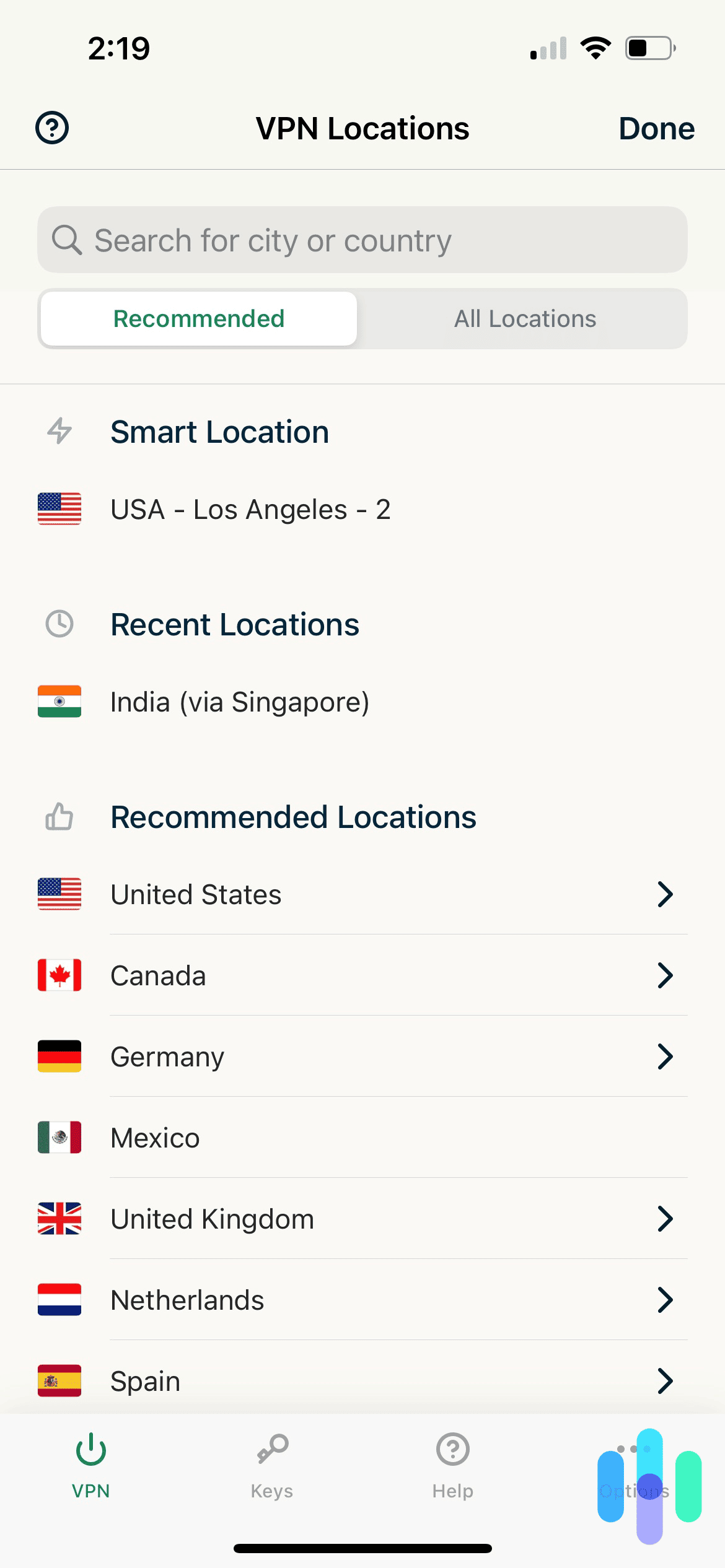
Please note that this is technically legal but violates the Terms of Service for sites such as Amazon Prime, Netflix and Disney+. The sites have on very rare occasions punished VPN users through bans or content restrictions and sometimes they try to block VPN providers from accessing their services, but it is inconsistent and, in some instances, since the customer is already paying roughly £100 per year so they allow it.
Like any piece of software, VPNs come with certain drawbacks and risks. One of the main issues is that they can reduce your internet speed, especially when you use features that change your virtual location. They may also increase data usage, meaning you could use more Wi-Fi or mobile data than you normally would. There is also the possibility that some VPN providers may log, track, or even sell your data. In addition, as previously stated, a VPN does not make you completely anonymous online, nor does it fully protect you from malware or other security threats.
Which VPN provider you use is up to you. There are lots to choose from, which offer paid services, such as ExpressVPN, Surfshark and NordVPN, and free offers, such as WindScribe, PrivadoVPN and TunnelBear. Please note that free VPNs are often slower, less secure, have usage caps and advertising. VPN providers often prioritise different things, from speed, to security to the range of countries available to switch to so it’s good to be aware of what you want from your VPN and research the market.
Additional Information:
Which?-VPNs explained: how to pick a good VPN that won’t risk your data https://www.which.co.uk/reviews/laptops/article/vpns-explained-aXkcN7w174Nc
Kaspersky- What is a VPN? How It Works, Types, and Benefits https://www.kaspersky.com/resource-center/definitions/what-is-a-vpn
Mar 20, 2026
ESET is a Slovakian software company that specialises in cybersecurity that was founded in 1992. Its name comes from the Slovakian translation of Isis, the Egyptian goddess of health, marriage and love. They provide products and services both for companies and for individuals.

One example of the latter is the Online Scanner. This is a one-time use tool which does a free full scan of your computer to remove all viruses and threats. However, this is only a one-time process. If you wish to have more scans or better still, have a live monitoring so that any time your PC encounters something potentially risky, or has a chance of doing so, it alerts you, you have to pay for ESET HOME Security Premium for £51.99 for one device per year(if you add more devices, it increases by £4 per additional device).
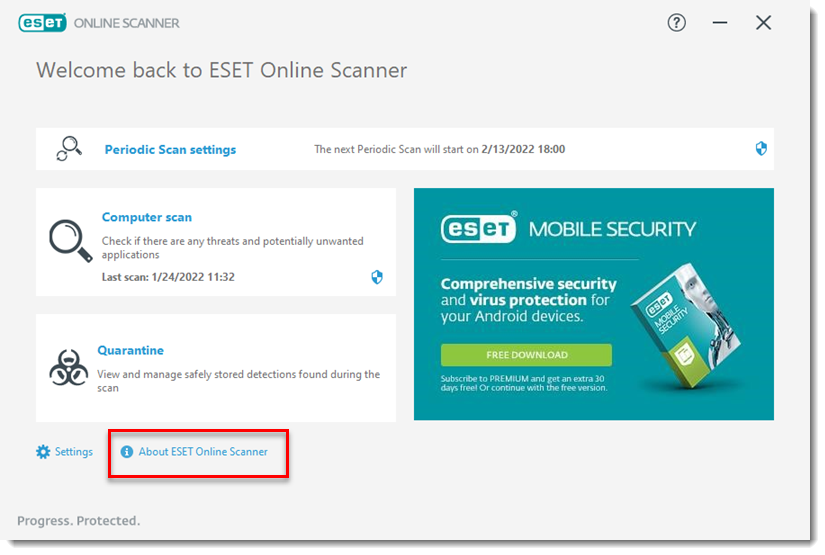
ESET the company has great reviews on Trustpilot with praise for the security of their devices and the fact that the software doesn’t slow them down. Additionally, the customer service team is praised for being helpful, friendly, and quick to resolve any issues. Only recurring issue is that the renewal process is a bit difficult, but the customer service is effective at solving the problem.
https://www.eset.com/uk/home/online-scanner/
Mar 20, 2026
Marcel Bucher is a Professor of Plant Sciences at the University of Cologne, Germany. Like many people worldwide, he was a frequent user of chatbots, with ChatGPT playing a central role in his everyday professional life. He paid for ChatGPT Plus (around £17 a month) and used it to draft emails, prepare lectures, create exams and analyse student responses. Over time, he built up roughly two years’ worth of work on the platform.


ChatGPT uses customer interactions — including prompts, uploaded files and conversations — to train and improve its models, personalise the user experience and ensure safety. Users can opt out of this in several ways, such as using “Temporary Chat”, which isn’t used for training and is automatically deleted after 30 days. Users can also export their data or manually delete chats or their entire account.
In August last year, Bucher decided to see what would happen if he stopped sharing his data with OpenAI by turning off the “Improve the model for everyone” setting in the Data Controls menu. Unfortunately, this resulted in all his chats and documents disappearing. There was no clear warning that this action would cause irreversible deletion.
Assuming it was a technical error, Bucher tried reinstalling the app and accessing his account through different browsers and devices. None of it worked. When he contacted OpenAI, he was told the data was gone permanently. Due to the company’s “privacy by design” policy, once data sharing is disabled, chat history is automatically erased — and because no backups exist, it cannot be recovered. All that remained were partial copies of work Bucher had saved elsewhere.
Unsurprisingly, Bucher was angry. He said he trusted ChatGPT as a stable workspace because it had “always been available, remembered the context of ongoing conversations and allowed [him] to retrieve and refine previous drafts”. He also pointed out that universities actively encourage the use of generative AI in teaching and research. However, he now believes tools like ChatGPT “were not developed with academic standards of reliability and accountability in mind” and should not be considered completely safe for professional use.
While many of Bucher’s criticisms are fair, it’s worth considering what ChatGPT is actually designed to do. At its core, it’s a chatbot — not a storage system. It lacks robust organisation, version history and backup infrastructure, it’s vulnerable to cyberattacks and its data is owned and managed by a private company. Dedicated storage services such as Microsoft OneDrive or AWS Cloud are built specifically to protect data, with backups and recovery systems in place. Some online reactions were less than sympathetic. One Bluesky user summed it up neatly: “Amazing sob story: ‘ChatGPT deleted all the work I hadn’t done’.” Harsh, but not entirely unreasonable — particularly given that this came from a professor with 20-year career at a university ranked 164th in the World University Rankings 2026. One might expect more foresight, preparedness and a slightly healthier approach to data management.
Ultimately, this story serves as a reminder not to treat any digital tool as something it isn’t. ChatGPT can be useful, but relying on it as a primary workspace without proper backups is a gamble — and in this case, one that didn’t pay off.
As of January 2026, OpenAI has since changed this feature. Disabling the “improve the model” option now prevents conversations from being used to train future models without automatically deleting them. A helpful fix — just a little too late for Professor Bucher.
Sources:
Mar 20, 2026
Launcher apps, also known as home apps, are a type of core system app. These are essential software components that manage important device functions and control the appearance of the phone’s interface. On Android devices, the launcher is responsible for the home screen layout, app icons, and how apps are opened and organised.
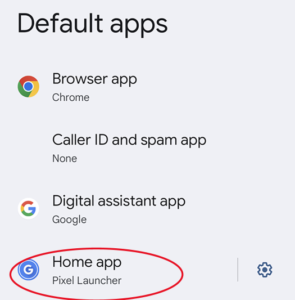
Most Android phones come with a pre-installed launcher that is designed specifically for that device. For example, “One UI Home” is the default launcher on Samsung Galaxy phones, while “Pixel Launcher” is used on Google Pixel phones.
You can usually find your current launcher by going to:
Settings → Apps → Default Apps → Home app
Android allows users to change their launcher if they want to customise how their phone looks and works. For example, there are popular third-party launchers such as Microsoft Launcher, Niagara Launcher, and Nova Launcher, which can be downloaded from the Google Play Store.
These apps allow users to change themes, layouts, and sometimes improve the organisation of apps on the device. Android is designed to be highly customisable, which is why changing launchers is allowed.
However, this flexibility also creates a potential security risk.
Some malicious launcher apps disguise themselves as legitimate launchers. Once installed, they can take control of the home screen and gain extensive access to the device. This can allow them to:
- Steal sensitive information
- Record what the user types
- Force the installation of additional unwanted apps
- Lock or restrict access to certain files
- Drain the battery
- Slow down the phone
- Use large amounts of mobile data
- Send constant notifications
These malicious launchers can be difficult to remove because they may hide their icon from the home screen or interfere with the normal uninstall process.
In some cases, the launcher is installed through another app that appears legitimate, such as a game or utility that was advertised online. That original app may also be difficult to delete. Common traits of this app can include refusing to close or be removed or have icons that remain permanently on the screen.
If you suspect a malicious launcher has been installed, there is usually a straightforward way to fix the problem.
First, go to:
Settings → Apps → Default Apps → Home app
From there, change the selected launcher back to the default launcher that came with your phone. The app currently listed as the home app is likely the one causing the problem. Once you switch back to the default launcher, you should be able to identify and delete the suspicious launcher app.
After removing it, you should also uninstall any apps that were installed without your permission or that you do not recognise. Finally, it is recommended to run a security scan on the device and be cautious about apps you download in the future.
Mar 13, 2026
Advice & Information
National Cyber Security Centre (NCSC)
https://www.ncsc.gov.uk/
The National Cyber Security Centre, a part of GCHQ, helps businesses, the public sector and individuals protect the online services and devices that we all depend on.
MET – Little Guides
https://www.met.police.uk/police-forces/metropolitan-police/areas/campaigns/2019/little-guide-preventing-fraud/
A series of leaflets and books design by the MET to explain some of the most common scams and give advice on how to avoid falling victim to them
The Cyber Helpline Guides
A series of guides and how-to’s developed by The Cyber Helpline
https://www.thecyberhelpline.com/guides
Get Safe Online
The UK’s leading internet safety website. Provides unbiased, factual and easy-to understand information on online safety.
https://www.getsafeonline.org/
Internet Matters
Offers expert guides, practical advice, and interactive resources for parents, carers, and professionals to navigate the digital world and its various risks.
https://www.internetmatters.org/
ChildNet
A UK-based charity who empower children, young people, and those who support them in their online lives, and its mission is to work with others to make the internet a great and safe place for children and young people.
https://www.childnet.com/
Childnet
Take Five
Useful resources to help people be more resilient against scams and financial fraud
https://www.takefive-stopfraud.org.uk/
Reporting
Report Fraud
Formally known as Action Fraud, is the UK’s national reporting centre for fraud and cybercrime where you should report fraud if you have been scammed, defrauded or experienced cyber crime.
https://www.reportfraud.police.uk/
CrimeStoppers
Independent charity enabling the anonymous reporting
https://crimestoppers-uk.org/
Victim Support
Support services to help people manage after crime and to empower them to ensure their voices are heard
Home
Useful Tools
How Secure is My Password
Check how quickly and easily your password is to guess and improve it. Great tool to help people make their passwords more secure
https://www.security.org/how-secure-is-my-password/
Have I Been Pwned
Check to see if your email address has been caught in a data beach
https://haveibeenpwned.com/
The Cyber Helpline
A chatbot which takes you through the steps to understand if you have been compromises, signpost to relevant resources or connect you with a trained volunteer
https://www.thecyberhelpline.com/
F-Secure
Cyber security company that provides an online Virus checker, antivirus software, VPNs, password management, and other consumer cyber security products and services for computers, mobile devices, smart TVs and internet of things devices.
https://www.f-secure.com/gb-en
Cyber Action Plan
Online tool for both individuals and business created by the NCSC.
https://www.ncsc.gov.uk/cyberaware/actionplan/individuals-and-families