Internet Service Provider (ISPs) are company that provides services related to accessing, using, managing, or participating in the Internet, be that through Wi-Fi signal or mobile network operations. Big ones include Virgin, Sky, BT and EE. They provide a great service, but they also can see everything you do on their network. They can view the domains (websites) you visit, the time and duration of your visits, your IP address, and the total amount of data used. They cannot see what you do on those websites (i.e. what login details you use, what products you buy, what videos you watch) but they can use the information they do have and use it to advertise products to you or sell the data to third parties. There’re also more serious reasons, such as monitoring for, detecting, and preventing malware attacks and retaining this information for 6-12 months in case a police investigation occurs and your search history is needed.

.jpg)

In addition to Internet Service Providers, your online activity is at risk of being accessed by hackers (who may be able to see what you do on the websites), government organisations, and network administrators at work or school. The way around this is to use a VPN.
A VPN (Virtual Private Network) works by creating an encrypted connection between your device and a secure server operated by the VPN provider. When you connect to a VPN, your internet traffic is sent through this encrypted tunnel before it reaches the wider internet. This means that your Internet Service Provider, network administrators at work or university, and anyone using the same public Wi-Fi network cannot see the websites you are visiting or the data you are sending and receiving.

In addition to encrypting your traffic, a VPN replaces your public IP address with the IP address of the VPN server. Your IP address is a unique identifier assigned to your device on a network and can reveal your approximate location. By masking it, a VPN makes it appear as though your internet activity is coming from the VPN server rather than your actual device. This improves privacy and makes it more difficult for third parties to track your location based solely on your IP address.
However, a VPN does not make you completely anonymous. Websites can still track you through cookies, browser fingerprinting, or if you are logged into an account such as Google or social media platforms. A VPN also does not automatically protect you from viruses, phishing attacks, or malware — it primarily protects your connection, not your behaviour online.
An additional benefit of VPNs is that it can be used to change locations to access hidden data. For example, BBC iPlayer is not available when outside of the UK. If you’re in Spain and you use a VPN to set your location to the UK, then you can watch the latest episode of Eastenders with no issues.
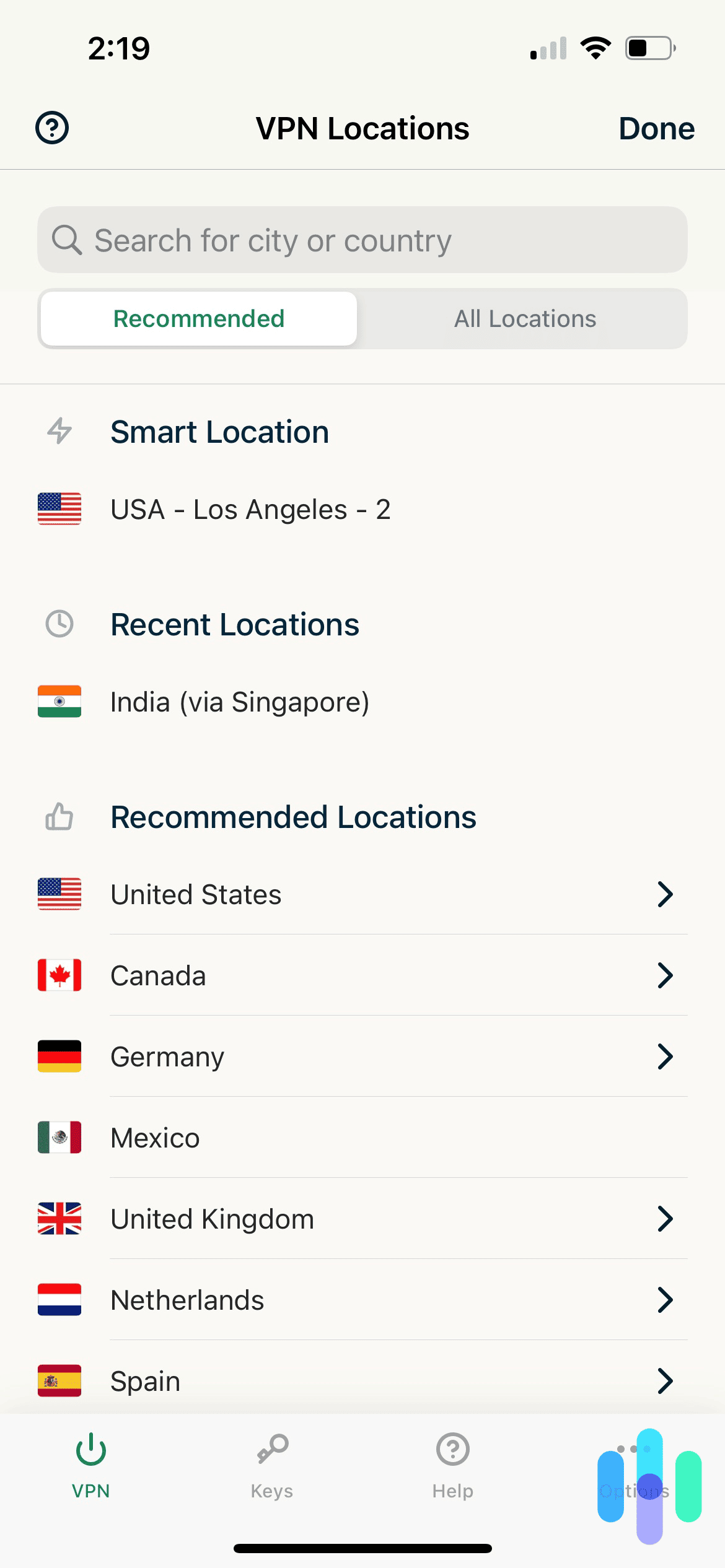
Please note that this is technically legal but violates the Terms of Service for sites such as Amazon Prime, Netflix and Disney+. The sites have on very rare occasions punished VPN users through bans or content restrictions and sometimes they try to block VPN providers from accessing their services, but it is inconsistent and, in some instances, since the customer is already paying roughly £100 per year so they allow it.
Like any piece of software, VPNs come with certain drawbacks and risks. One of the main issues is that they can reduce your internet speed, especially when you use features that change your virtual location. They may also increase data usage, meaning you could use more Wi-Fi or mobile data than you normally would. There is also the possibility that some VPN providers may log, track, or even sell your data. In addition, as previously stated, a VPN does not make you completely anonymous online, nor does it fully protect you from malware or other security threats.
Which VPN provider you use is up to you. There are lots to choose from, which offer paid services, such as ExpressVPN, Surfshark and NordVPN, and free offers, such as WindScribe, PrivadoVPN and TunnelBear. Please note that free VPNs are often slower, less secure, have usage caps and advertising. VPN providers often prioritise different things, from speed, to security to the range of countries available to switch to so it’s good to be aware of what you want from your VPN and research the market.
Additional Information:
Which?-VPNs explained: how to pick a good VPN that won’t risk your data https://www.which.co.uk/reviews/laptops/article/vpns-explained-aXkcN7w174Nc
Kaspersky- What is a VPN? How It Works, Types, and Benefits https://www.kaspersky.com/resource-center/definitions/what-is-a-vpn