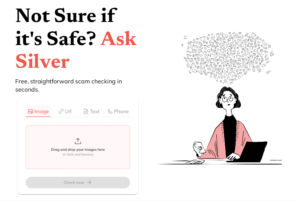
Launched in 2023, this is a scam checking tool which operates as part of WhatsApp. It was created by Alex Somervell and Jonny Pryn after Alex’s dad was scammed 3 times in 2019, losing a total of £150,000. The tool works in a similar way to a typical text thread on WhatsApp, where you send a photo a text message or email address to the chatbot, then it will scan for any signs of a potential scam, such as the sender’s email address not matching the domain name of the company they supposedly work for, any added links not going to a legitimate site or a lack of personalization(i.e. “Dear Customer” rather than “Dear Ms May Parker”) and based on the results, it responds with a list of any suspicious things it finds and gives the user the opportunity to report it.
In October 2025, the company added a functionality of being able to upload via a user’s web browser. You can input suspicious images, website links, text messages and phone numbers for checking.
Based on testing, it’s quite an effective tool but the app itself notes that it is to be used alongside the user’s own research and best judgement. It’s completely free and all that’s needed to use it is a phone and a WhatsApp account.
Antivirus – A program that protects your computer from harmful software (called viruses) by spotting and removing them.
App – Short for “application. ” A small program you use on your phone, tablet, or computer, like WhatsApp or online banking.
Browser – The tool you use to look at websites, such as Google Chrome, Safari, or Microsoft Edge.
Cookie – A small file websites save to remember your preferences, such as your login or shopping basket. Usually harmless.
Encryption – A way of scrambling information so only the right person can read it – like sending a message in code.
Firewall – A shield that blocks unwanted visitors or threats from entering your device through the internet.
Hacker – Someone who tries to get into computers or accounts without permission. Some are criminals, but not all.
Malware – Short for “malicious software. ” Harmful programs such as viruses or spyware that can damage or spy on your device.
Password – A secret word or phrase you use to protect y our accounts. The best ones are long and hard to guess.
Pop-up – A small window that suddenly appears on your screen, often showing adverts or scams.
Scam – A trick to steal your money or information, often by pretending to be someone you trust.
Spam – Unwanted or junk emails, usually adverts or scams, that clutter your inbox.
Two-Factor Authentication (2FA) – An extra layer of security that asks for two things to log in, like your password and a code sent to your phone.
Update – A fix or improvement for your apps or computer. Updates keep you safer and make things run better.
Username – The name you use to log in to a website or service – often your email address or a nickname.
Virus – A type of malware that spreads and damages your computer or files, like a cold for your device.
VPN (Virtual Private Network) – A tool that hides your location and makes your internet use more private, especially on public Wi-Fi.
Wi-Fi – A way to connect to the internet without wires. It’s safest when password protected.
Website address (URL-Uniform Resource Locator) – The link you type in to visit a site, such as www.bbc.co.uk. Always check spelling to avoid fake sites.
To create the best passwords, make them long (12+ characters), complex (mix of uppercase/lowercase letters, numbers, and symbols), and unique for each site. Avoid personal information, common words, and simple patterns like “12345”.
Consider using a strong passphrase or a password manager to help you generate and store these strong, unique passwords securely.
Key Characteristics of a Strong Password
Length: Aim for at least 12 characters, but 14 or more is even better.
Complexity: Use a mix of:
Uppercase letters (A-Z)
Lowercase letters (a-z)
Numbers (0-9)
Special symbols (!, @, #, $, etc.)
Uniqueness: Use a different password for every online account.
Randomness: Avoid dictionary words, personal information, and predictable
sequences.
Tips for Creating and Managing Passwords
Create a passphrase: A string of random, unrelated words is often easier to remember than a complex jumble of characters.
Use a password manager: These tools can generate strong, unique passwords and securely store them for you.
Enable Two-Factor Authentication (2FA): For added security, enable 2FA on your accounts whenever possible.
Avoid Personal Information: Never use your name, birthday, address, pet’s name, or any other information that could be easily guessed or found online.
Don’t Reuse Passwords: If one account is compromised, using the same password for other accounts creates a massive security risk.
Met Police’s Little Guide to Passwords
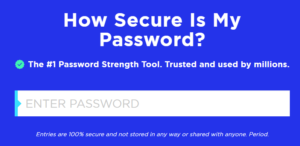
How secure is my password?(password strength checker tool from security.org)
SIM swap fraud is when scammers take control of a phone number by switching the service from the customer’s SIM to another SIM in their possession. Its then possible to access your online accounts and personal data.
SIM-swapping fraud doubled nationally in both 2023 and 2024, with nearly 3,000 incidents reported in 2024, according to Report Fraud.
What are the signs?
You are no longer receiving calls or texts
Your bill/call logs show calls and texts to
numbers you don’t recognize
Your location appears elsewhere
You’ve been locked out of accounts you
previously had access to
Protecting yourself
Avoid sharing your mobile number online unnecessarily
Use app-based authentication (e.g., Google Authenticator) instead of SMS codes
Set up a SIM PIN or passcode through your mobile provider
What to do in a crisis:
Contact your mobile provider immediately: They can confirm if a swap occurred, deactivate the fraudulent SIM card, and help you regain control of your phone number.
Notify your banks and financial institutions (e.g., credit card companies): Request that they freeze your accounts to block any unauthorized transactions and monitor for suspicious activity. You may be able to do this from within an app!
Secure your online accounts: Change your passwords to new, strong, and unique ones and disable SMS-based two-factor authentication (2FA) temporarily and switch to more secure methods like app-based authenticators (e.g., Google Authenticator) or physical security keys.
Report the fraud: Report the crime to Action Fraud online or by calling 0300 123 2040. Ensure you keep a record in case of future disputes.
Monitor your accounts: Keep a close watch on your bank statements and online accounts for any transactions you don’t recognize. If you find any, report them immediately as unauthorized charges
This involves using digital communication technologies (such as emails, messaging apps, or social media) to harass, monitor, or stalk someone. It’s not a one-off incident but repeated behaviour intended to frighten, intimidate, or distress the victim. Examples include sending threatening messages, spreading rumours online, tracking someone’s online presence, or trying to gain access to private accounts. In severe cases, cyberstalking can escalate to offline harassment.
Denial-of-Service (DoS) Attacks
A DoS attack tries to overload a system, website, or server with too many requests so that it becomes too slow or completely unavailable to legitimate users. A more powerful version is called a Distributed Denial of-Service (DDoS) attack, where multiple computers (often hijacked by malware) flood the target at the same time. These attacks can cause major disruptions for businesses, governments, and online services.
Hacking
This is when someone gains unauthorised access to a computer, system, or network. Hackers often do this by exploiting software vulnerabilities, using stolen passwords, or tricking people into giving them access. Once inside, they might steal data (like bank details), install malware, deface websites, or use the system to launch other attacks. Not all hackers are criminals — some are “ethical hackers” who test security systems but in everyday use, the term usually refers to malicious activity.
Identity Theft
This happens when a criminal steals someone’s personal information — such as names, addresses, National Insurance (NI) numbers, bank account details, or credit card numbers — and uses it to commit fraud. This could mean opening new credit accounts in the victim’s name, making unauthorised purchases, or even applying for loans. Victims often don’t know until they see unusual bank charges or are denied credit due to debts they didn’t create.
Ransomware
This is a type of malware that blocks or encrypts files on a victim’s computer so they can’t access their own data. The attacker then demands payment (often in cryptocurrency) to “unlock” it. Ransomware can spread through infected email attachments, malicious downloads, or compromised websites. High profile cases have affected hospitals, schools, and even national infrastructure. Paying the ransom doesn’t guarantee recovery, and in many cases, victims remain locked out.
Sim Cloning/Sim Swap Fraud
Sim cloning is when an attacker gains physical access to the target’s SIM card and then copies the number onto another sim card. The attacker can use this to access the victim’s texts, phone calls, and location data. From that point, they can read your text messages to get information about you, scam your contacts by posing as you, or receive 2-Factor Authentication (i.e. you login via username and password onto a site, then they text you a code your phone to make it more secure-logging in on 2 devices).
Social Engineering
Instead of hacking computers, attackers manipulate people directly into handing over sensitive information. They create convincing scenarios — for example, pretending to be a bank official, a delivery company, or even a colleague — and ask for details like login credentials, bank numbers, or personal data. Phishing emails, phone scams, and fake websites are all examples. Social engineering works because it exploits human trust rather than technical weaknesses