Meet the team – Part 1 – Sue Gauge

Meet the team – Part 1 – Sue Gauge

As winter is drawing in, we wanted to introduce you to the team working hard behind the scenes at ClearCommunityWeb.

More importantly, we want to celebrate the work they do and their contribution to our community.

So first up is … SUE GAUGE

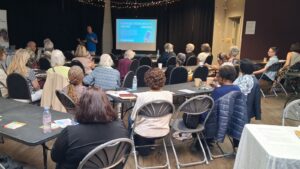
After 14 years in the Ministry of Justice, Sue initially joined ClearCommunityWeb as a volunteer; helping with the Digital Skills for Seniors classes at the Upper Norwood Library Hub.

She now leads our Digital Awareness for Older People program; a virtual class helping people to build confidence and encouraging them to ‘have a go’!

Under her stewardship the class has doubled in six months. We all learn new things and get a chance to ask the questions we can’t ask elsewhere.

“It’s really opened my eyes to how incredibly hard it is to use a smartphone if you’ve never used anything other than a landline. Most people take all this digital stuff for granted, yet to the people in our class it’s like a foreign language. It’s a pleasure to give them some idea about what it all means so they can be confident enough to give it a go.”

Sue is a real asset and a supportive help!

THANK YOU!!!

Community Tech Support During Lockdown 2

Community Tech Support During Lockdown 2

During the first lockdown we provided critical tech support to over 140 older people, adults living with a disability or difficulty and carers living across Lambeth, Southwark & Croydon. We are still here and operating!

We can help remotely (over the phone or video call), and in some cases make a home or doorstep visit.

Your safety and privacy is very important to us, all staff and volunteers are fully DBS checked and all home visits adhere to strict safety guidelines.

For more information or to receive help click here.

If you have some spare time and would like to volunteer and help us deliver this service then apply here.

Digital Skills for Seniors is back after a summer break!

Digital Skills for Seniors is back after a summer break!

We return with a very important topic – the NHS Covid-19 Test & Trace app.

We will cover:

  • What does the NHS Covid-19 Test & Trace app do?
  • Will it work on my phone?
  • How do I download it?
  • What is a QR code?
  • Do I need it in shops?
  • Does it use my personal information?

This is a class aimed at older people and carers who may be unsure about technology or smartphones and want to know more or need some practical help.

https://www.eventbrite.co.uk/e/123482897671/

Please contact Caspar on 07523 646 277 or caspar@clearcommunityweb.co.uk if you have any questions.

Please pass this information on to those who may not be on Eventbrite or social media


Zoom Resources

Zoom Basics: Downloading

Everyone seems to be talking about or using Zoom and it has all happened quite quickly. From classes, choirs, faith groups, family, work and therapy; everybody seems to be at it. But not all of us are familiar or comfortable with technology.

Telling us to ‘go and download an app’ is all well and good if you know what you are doing, but sometimes we want things really simple and really clear, so we have designed this series of guides to do just that…

Downloading Zoom

If you are trying to get on your first Zoom meeting or help a friend or family member then it is a good idea to download the application first – either on your computer, phone or tablet.

Downloading Zoom is slightly different depending on whether you are using.  Laptop/ Computer, IPad or iPhone, Apple Mac, Galaxy, Huawei or any other ‘Android’ phone or tablet.

You can get it directly from the Zoom website (www.zoom.us) or from the Apple, Play or Amazon Ap store if you know what these are and search for “Zoom Cloud Meetings” or Zoom Client for Meetings”

You can ignore any other options!

Or you can click the relevant link below


Microsoft Windows (Laptop or PC) & Apple Mac

iPad & iPhone

Android phone or tablet (Samsung, Huawei, Motorola, Doro)

Amazon Fire Tablet

Video from Zoom