What I want you to do is go onto a website, like YouTube, BBC News or Amazon. Then either press “Ctrl” and “U” at the same time or click “Inspect” on Edge or “View Page Source” on Chrome or something similar. What comes up is the source code. This is written by developers to make the website function and look nice.
Cyber-criminals can use this to their advantage. If you clicked on a link that claimed it was from your bank and you found a site that look messy and nothing like it usually does, you’d probably not go ahead with using the website.
To bypass that, criminals will take the source code, keep the outside formatting but change both some of the text and the behind-the-scenes parts of the website to carry out their crimes.
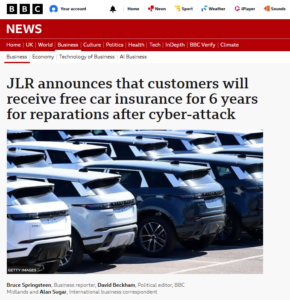
Here’s an example of a fake post. Looks just like the real thing, but I didn’t know that Alan Sugar and David Beckham were journalists.
For example, display an urgent warning message, and instead of the login button giving you access to your bank account, your email address, card number and password are just sent to the attacker’s computer. Therefore, it is important to be wary when clicking on links. If the email doesn’t match the usual format, the sender’s address looks suspicious or the web address doesn’t match, those could be all signs of something wrong.
Ultimately, if you’re not sure, use Google to access the website directly or contact the company via established contact details for confirmation of the email’s claims. If you already clicked on the link and entered any details, close the page, call the real company so that they can lock your account if needed or change your password.
You can also check here to see if a website is genuine or not:
https://www.getsafeonline.org/checkawebsite/